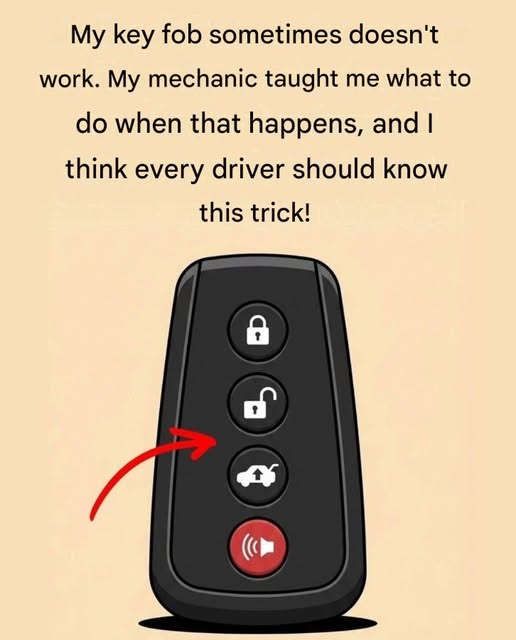
Learn what to do when your car key fob suddenly stops working. These simple troubleshooting hacks can help you identify common problems and get your key fob working again without unnecessary stress or expense.
Try These Hacks When Your Key Fob Stops Working
A key fob that suddenly stops working can be frustrating, especially when you’re standing next to your car with no idea what went wrong. Fortunately, a dead or unresponsive key fob doesn’t always mean you need a new key or an expensive repair. Several simple things can be checked at home first.
Here are some practical hacks to try when your key fob stops working.
1. Replace the Battery
The most common reason a key fob stops responding is a weak or completely dead battery. If the buttons suddenly become less responsive or the vehicle only reacts when you’re very close to it, the battery may be running low.
Most key fobs use a small coin-cell battery. Check the number printed on the old battery and replace it with the same type. Make sure the positive and negative sides are positioned correctly.
After replacing it, press a button while standing near the vehicle to see whether the locks respond.
2. Check the Battery Contacts
Sometimes the battery itself isn’t the problem. The small metal contacts inside the key fob can become dirty, bent, or loose.
Remove the battery and inspect the contacts. If they look dirty, gently clean them with a dry cotton swab or a suitable electronics-cleaning method. Don’t force the metal contacts, because bending them too far can damage the fob.
3. Try the Spare Key Fob
If you have a spare key fob, test it. This is a quick way to determine whether the problem is with the original fob or with the vehicle.
If the spare works normally, the original fob likely has a battery, button, circuit, or programming problem.
If neither fob works, the vehicle itself may need attention.
4. Check Whether the Car’s Battery Is Dead
Your key fob may be perfectly fine while the vehicle’s 12-volt battery is discharged.
If the car’s interior lights are weak, the dashboard doesn’t turn on, or the vehicle doesn’t respond normally, check the car battery. A vehicle with a dead battery may not respond to remote locking or unlocking.
5. Try the Physical Key
Many modern key fobs contain a hidden mechanical key. Look for a small release button or latch on the fob and slide out the emergency key.
This key can usually unlock the driver’s door manually if the remote buttons aren’t working.
Don’t worry if the alarm activates after manually unlocking the vehicle. Some cars may require you to start the vehicle with the recognized key fob to deactivate the alarm.
6. Hold the Fob Close to the Start Button
If your vehicle has push-button ignition and the fob battery is weak, the car may still be able to detect the fob at very close range.
Depending on the vehicle, placing the fob against or very close to the designated backup detection area or start button can allow the car to recognize it.
The exact procedure varies by manufacturer, so check your vehicle’s owner’s manual before relying on this method.
7. Move Away From Possible Interference
Electronic interference can sometimes affect key-fob communication.
If the fob works in one location but not another, move away from devices or areas that could potentially interfere with the signal and try again.
Also avoid keeping your key fob buried underneath several electronic devices in a crowded bag or pocket.
8. Check the Buttons
Look closely at the buttons. If one button feels stuck, unusually soft, or doesn’t click normally, dirt or physical damage could be interfering with the switch.
Don’t spray household cleaners directly into the fob. If the buttons are damaged or the casing is cracked, professional repair may be safer than attempting to take apart the electronics.
9. Make Sure the Fob Hasn’t Been Damaged
A key fob that has been dropped, crushed, or exposed to water can develop internal damage.
If it was recently dropped or accidentally washed, don’t keep repeatedly pressing the buttons. Open the casing only if you’re comfortable doing so and know the correct procedure for your particular model. Otherwise, have it inspected by a qualified automotive locksmith or dealer.
10. Reprogramming May Be Necessary
Sometimes a key fob can lose synchronization with the vehicle, particularly after certain electrical or battery-related issues. Some vehicles have a specific owner-accessible procedure for resynchronizing the remote, while others require diagnostic equipment.
Because programming procedures vary considerably between makes and models, don’t rely on a generic sequence found online. Use the vehicle’s manual or a reputable automotive locksmith for the correct procedure.
A Few Things You Shouldn’t Do
Avoid repeatedly hitting the fob, forcing the casing open, installing the wrong battery, or bending its internal contacts. These shortcuts can turn a simple battery problem into a damaged key fob.
Also, don’t assume that a non-working remote automatically means the entire key needs replacement. A battery, contact, button, vehicle battery, or synchronization issue may be responsible.
When It’s Time to Get Professional Help
If you’ve installed the correct new battery, checked the contacts, tried the spare fob, and confirmed that the vehicle battery is working, professional diagnosis may be the next step.
An automotive locksmith or dealership can determine whether the fob needs repair, reprogramming, or replacement. If the vehicle doesn’t respond to either key fob, the problem may be with the car rather than the remote.
Bottom Line
When a key fob stops working, start with the simplest possibilities: check the fob battery, inspect the contacts, test the spare key, and make sure the vehicle’s battery isn’t dead. If your car has an emergency mechanical key or a backup method for detecting a weak fob battery, those features can also help you get moving again.
A little troubleshooting can sometimes save you from replacing an otherwise perfectly good key fob.